Sat, June 6, 2026Positano, Italy
For Android, iPhone, iPad & Mac



Every photoknows where& when.
GeoStamp reads the date, time and GPS already inside your photos and sets them in beautiful stamps, with the place name and a little map of the spot. 20 templates, your own designs, full-resolution export.
Free downloadNo data collected7 languages
Tuesday, July 14, 2026
67.9324° N 13.0884° E
Reine, Norway
Reine, Norway
Same stamp, five trips
Your photo already knows the story.
Tap a place. The date, coordinates, place name and map all come from the photo itself, so the stamp is right every time without typing a thing.
What gets stamped
Everything your camera already wrote down.
Fourteen details, read straight from the photo. Turn each one on or off and the stamp follows. Try it here.
01DateTuesday, 14 July 2026
02Time23:47
03GPS67.9324° N, 13.0884° E
04MapA mini map of the spot
05Place nameReine, Norway
06Altitude12 m above sea level
07Direction284° W
08CameraApple iPhone 16 Pro
09LensMain camera 24 mm f/1.78
10Exposuref/1.8 · 1/120 s · ISO 80
11Focal length24 mm
12Resolution4032 × 3024 px
13CaptionMidnight sun over the fjord
14PictureYour logo or any image
DATE2026-07-14
TIME23:47:12
GPS67.9324° N 13.0884° E
ATReine, Norway
ALT12 m
DIR284° W
CAMiPhone 16 Pro
LENSMain 24 mm f/1.78
EXPf/1.8 1/120 ISO 80
FL24 mm
RES4032 × 3024
Midnight sun over the fjord
20 templates
Pick a stamp. Or press your own.
From a quiet date in the corner to a full travel-journal card with a map. Every template is a starting point you can change.
2026-08-03 09:12
46.6242° N 8.0414° E
46.6242° N 8.0414° E
Jul 14, 2026 · 23:4767.9324° N 13.0884° E
’26 3 22
Grindelwald, SwitzerlandMon, Aug 3, 2026 · 09:12 · 46.6242° N 8.0414° E
2026-05-15 22:04
44.0046° S 170.4775° E
▲ 712 m ◎ 196° S
44.0046° S 170.4775° E
▲ 712 m ◎ 196° S
Tuesday, July 14, 202667.9324° N 13.0884° E · Reine, Norway
iPhone 16 Pro · Main 24 mmf/1.78 · 1/500 s · ISO 50 · Aug 3, 2026
08:1240.6281° N 14.4850° E
Grindelwald▲ 2,168 m · ◎ 142° SE
Merzouga, MoroccoSun, Mar 22, 2026 · 17:40
22:042026-05-15 · 44.0046° S 170.4775° E
◎ 196° S · ▲ 712 m
◎ 196° S · ▲ 712 m
Positano ♡ June 6
REINE14 JUL 202667.93 N 13.09 E
MARCH 22, 2026 · MERZOUGA
22:0415.05.26 · Lake Tekapo
Reine, NorwayJuly 14, 2026 · 23:47
46.62420, 8.04140
2026-08-03T09:12
ALT 1034 m · HDG 142°
2026-08-03T09:12
ALT 1034 m · HDG 142°
40.6281° N 14.4850° E
 © Your Studioyourstudio.com
Live template editor
Make it look like yours.
Every change shows up on your own photo while you make it. Save the result and use it on the next trip.
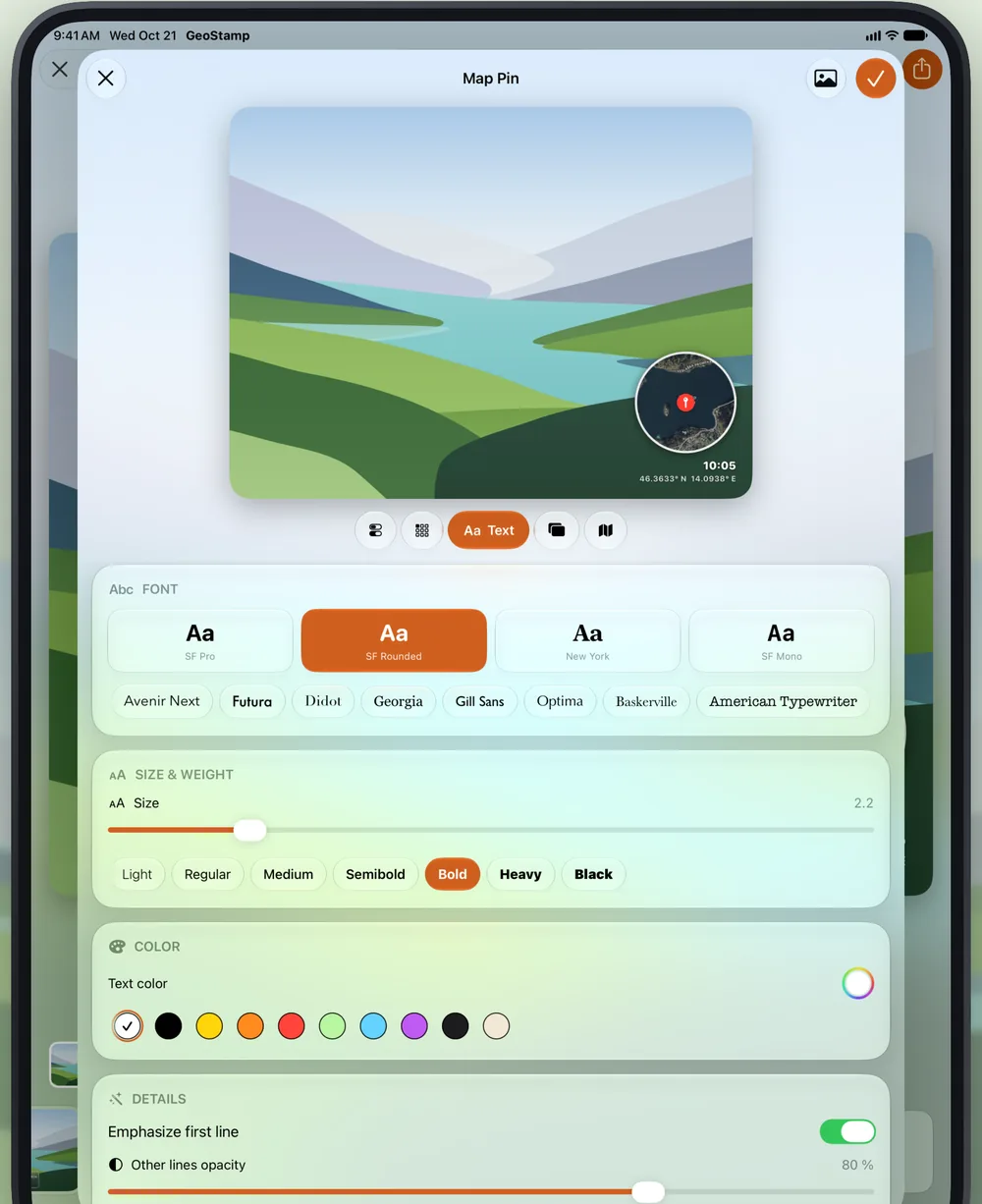
Typefaces with character
Pick from fonts that suit a stamp, in any size and weight.
SF ProSF RoundedNew YorkAvenir NextFuturaDidotGeorgiaGill SansOptimaBaskervilleAmerican TypewriterSF MonoOnly what matters
Fourteen details, each with its own switch. Essentials first.
Any corner, any colour
Place the stamp where it fits the picture, tint it, add a symbol.
Your own mark
Add a logo, signature or any picture, plus a caption.
One app, three screens
At home on iPhone, iPad and Mac.
Built for Liquid Glass on iOS 26 and macOS 26. Drag photos in on the Mac, pick them from Photos on iPhone and iPad.
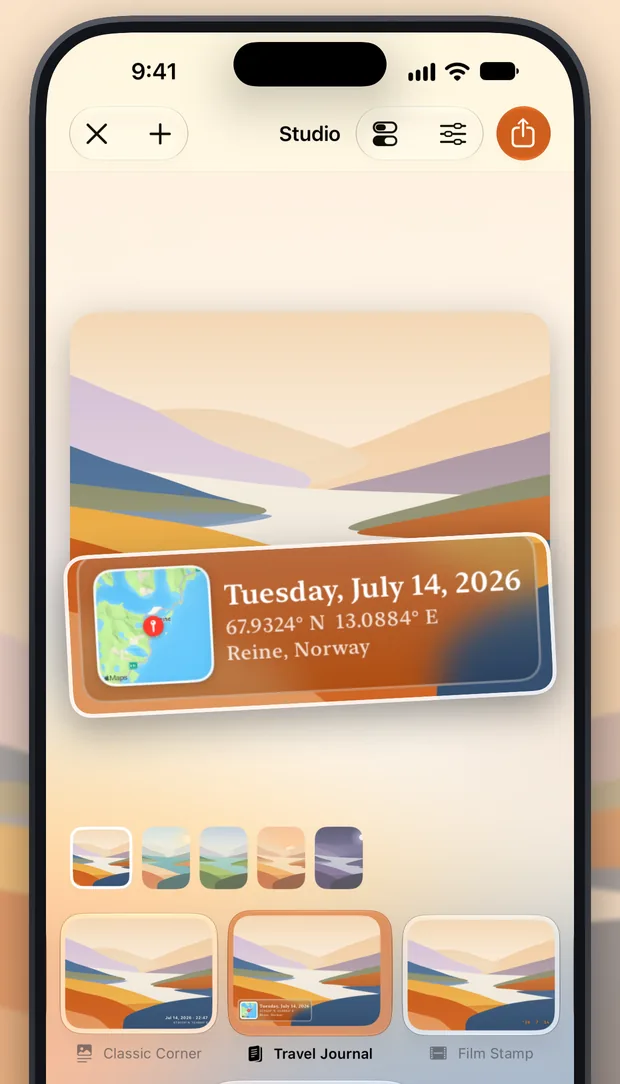
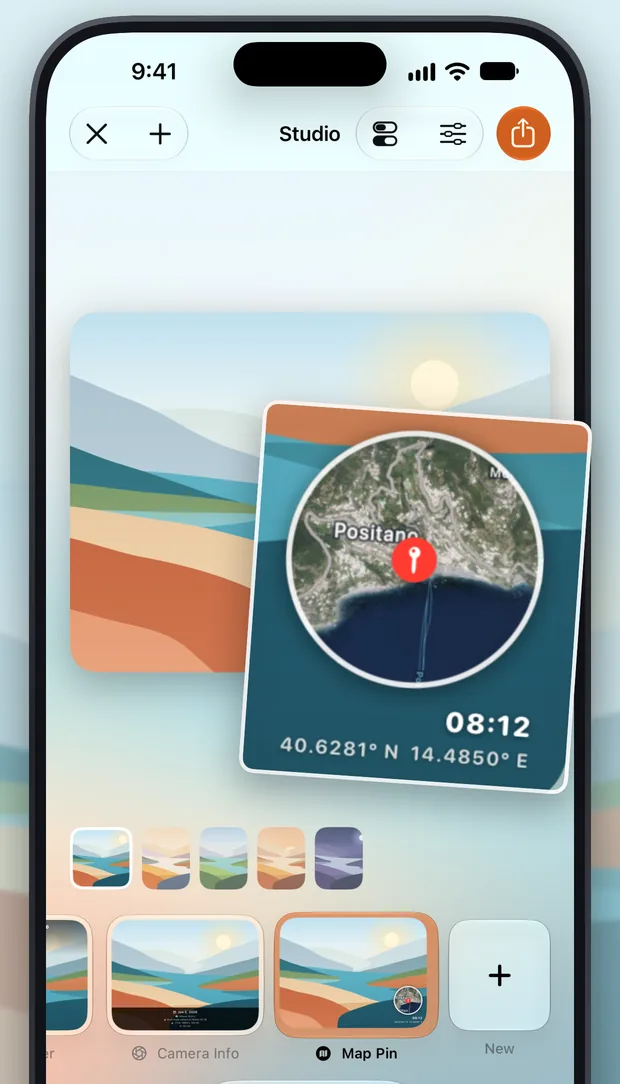
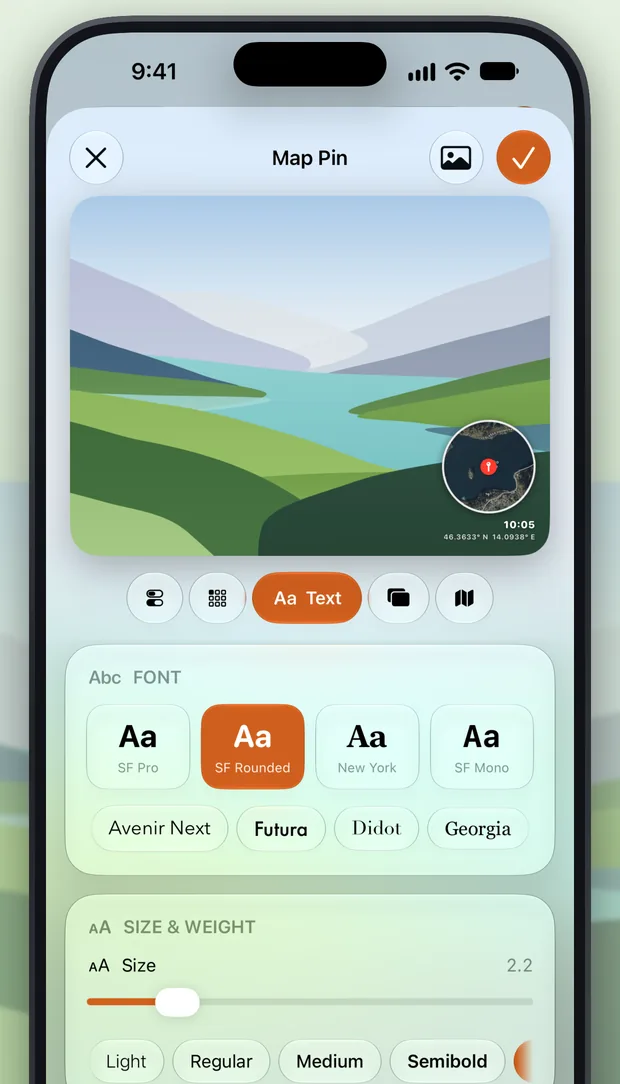
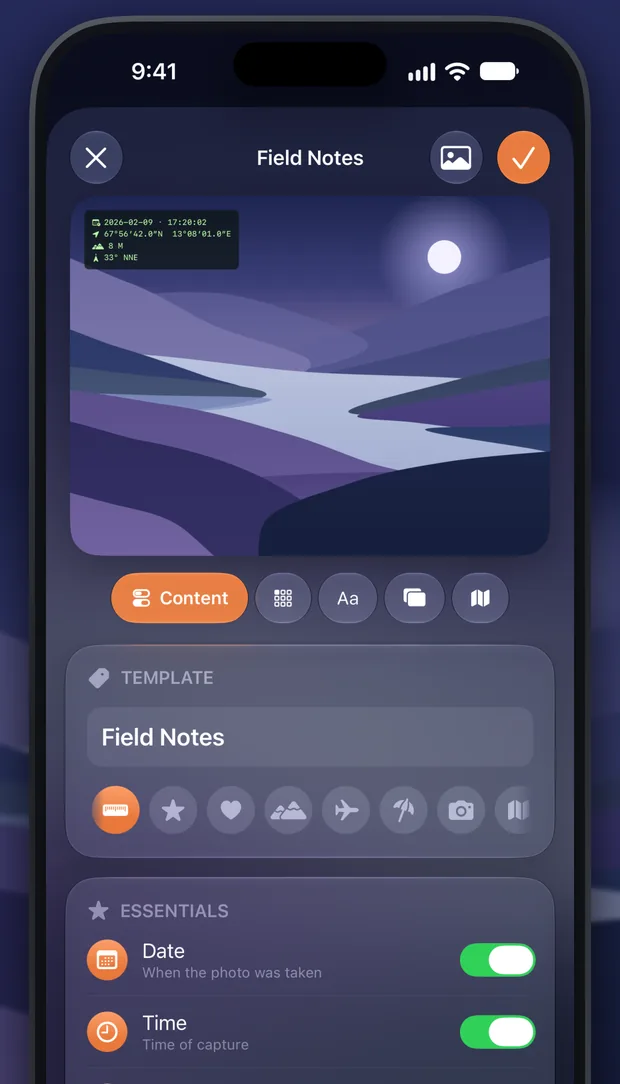
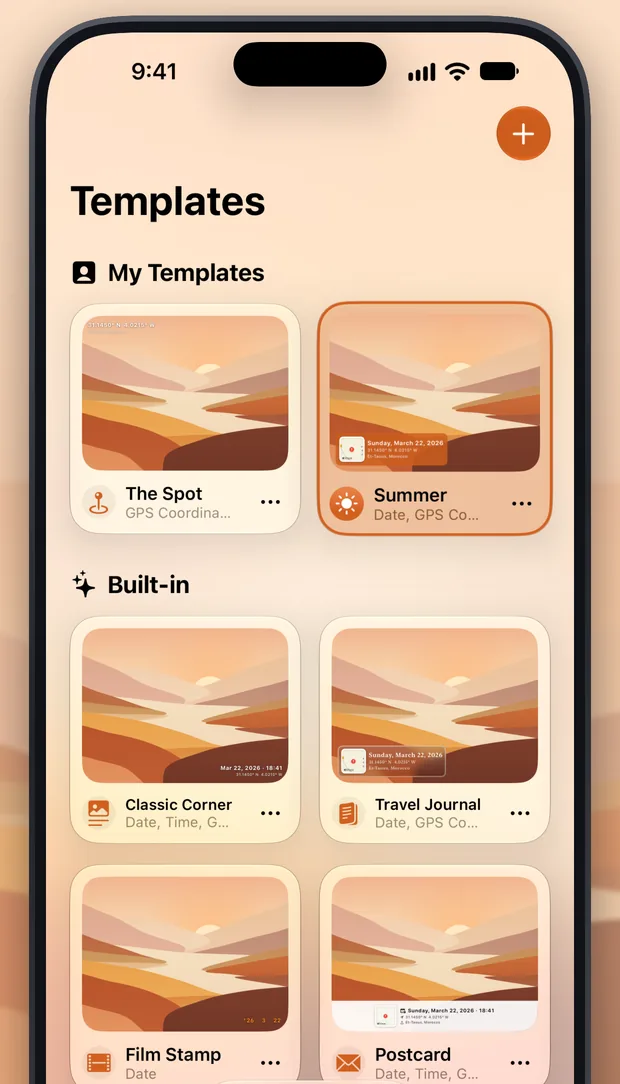
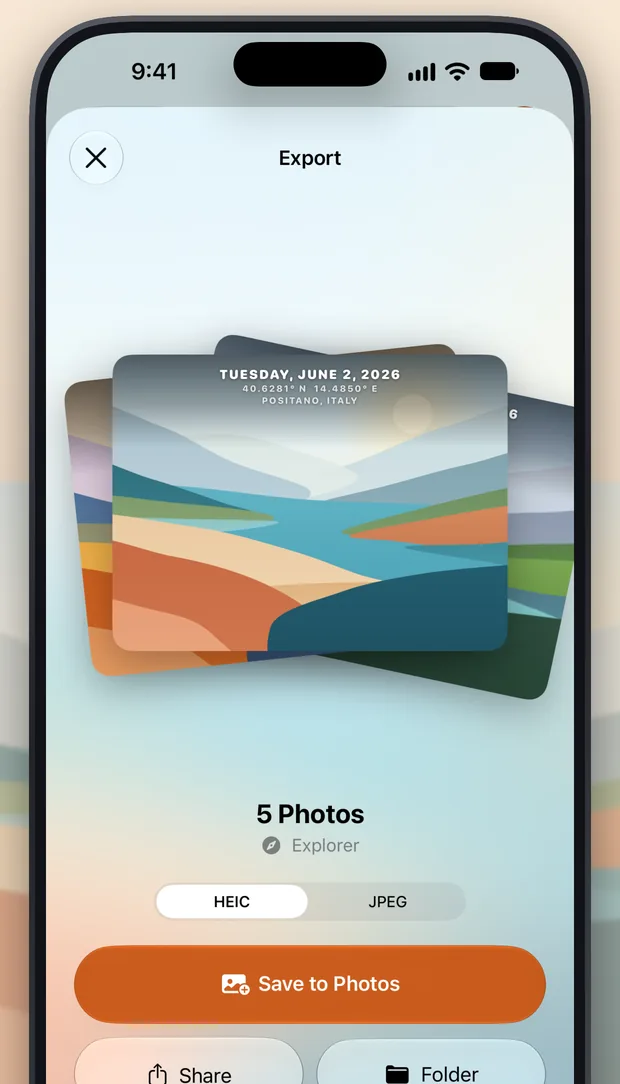
AndroidiPhoneiPadMac
Scroll →Export
A whole trip, stamped at once.
100%
Full resolution
Your photo in its original size, as HEIC or JPEG. Nothing gets scaled down.
EXIF
Metadata kept
Date, location and camera details stay inside the file, so Photos still sorts and maps it.
All
Batch export
Every photo gets its own date, place and map. Save to Photos, share, or drop into a folder.
Privacy
Your photos never leave your device.
No account, no tracking, no analytics. GeoStamp only asks a map service (Apple Maps, or Google and Esri on Android) for a place name and a map tile, using the photo’s coordinates. That’s it. Read the privacy policy.
Data Not Collected
The developer does not collect any data from this app.
- Photos processedOn device
- TrackingNone
- Account neededNo
- AdsNone
Free
0€
Everything is in the free download.
- All 20 templates and your own
- The live template editor
- Full-resolution, batch export
One-time purchase
1,99€
Removes the “Created with GeoStamp” badge from every export. Forever.
- No subscription
- Restores on all your devices
Price shown for Germany. Your local App Store price may differ.
Speaks your language
EnglishDeutschFrançaisEspañolItaliano日本語Português (Brasil)
Questions
Good to know.
More answers in the FAQ, or get in touch.
Why is there no location on my photo?
The photo most likely has no GPS data. That happens when location access was off for the Camera app, with screenshots and most scanned images, and with pictures you received through messengers or social networks, which often strip location data. GeoStamp simply leaves out any field the photo doesn’t have.
Tip: in the Photos app you can add or correct a location with Adjust Location and fix the time with Adjust Date & Time. Pick the photo in GeoStamp again afterwards.
Does GeoStamp change my original photo?
No. GeoStamp exports a new, stamped copy and leaves the original untouched.
What does the in-app purchase do?
It removes the “Created with GeoStamp” badge from every export, forever. It’s a single payment of €1.99 (or the local equivalent), not a subscription.
GeoStamp
Remember where it happened.
Date, GPS & map on your photos. Free for Android, iPhone, iPad and Mac.